Wedding gift wishlist: a gift list your guests reserve themselves
The wishlist is a section of the INVITO couple’s app where you build your gift list, and guests see it as a block on your invitation site. Paste a product link and the app fills in the name and photo, plus the price when the shop shows it. A guest taps Reserve and enters a name that only you will see, or reserves anonymously, in which case the name appears for you after the wedding. Other guests see the gift as Already taken, and two guests can’t reserve the last one. For money gifts there is a Fund with a link to your own jar or fundraiser, and Bank details. The wishlist is included in the MAX and SIGNATURE packages and is a paid add-on for MINI; our team adds the block to your invitation.
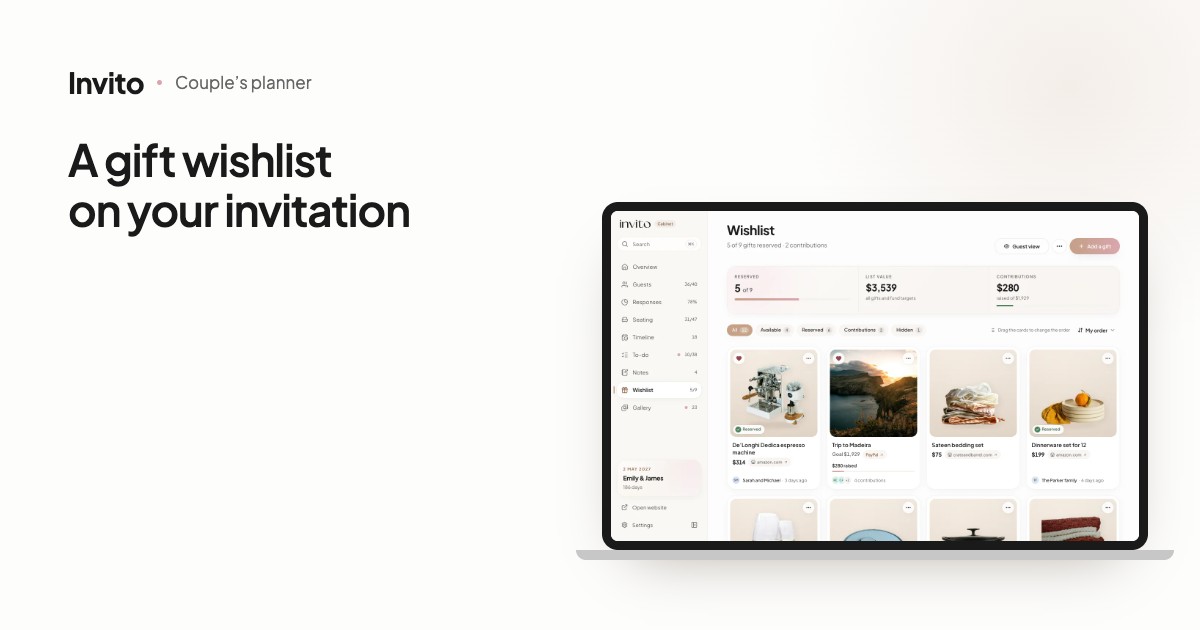
Two identical dinner sets, a third blanket and not one thing you actually hoped for. Guests want to get it right, but asking feels awkward, and nobody keeps the spreadsheet in the group chat up to date.
The INVITO wishlist keeps it simple: you build the list in the couple’s app, guests reserve gifts on the invitation site, and everyone can see what has already been picked.
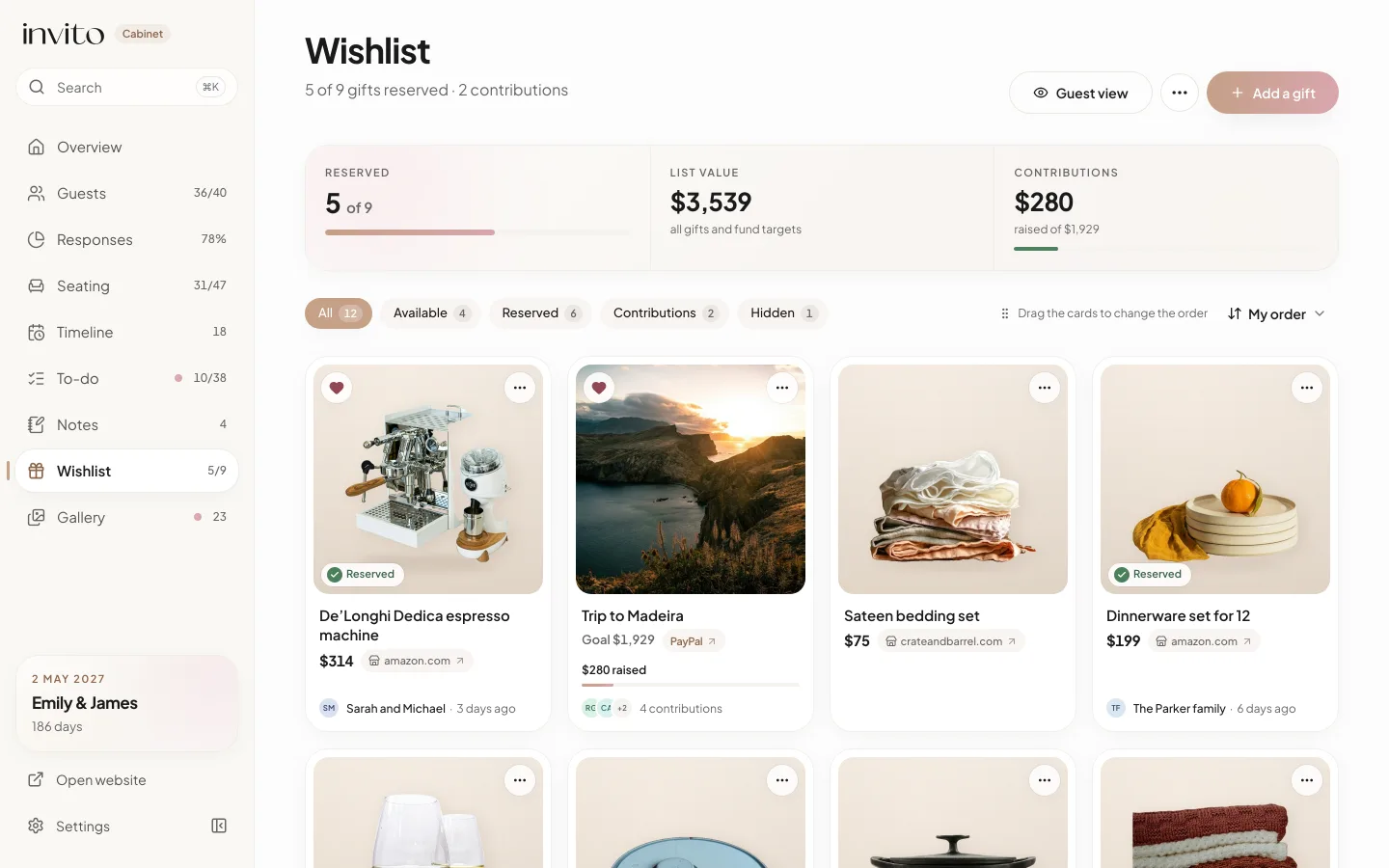
The wishlist in the couple’s app: how many gifts are reserved, who is giving them and what is still free. Example with made-up data.
How it works
- Open Wishlist: on a computer it is in the sidebar, on a phone in the More menu at the bottom of the screen.
- Tap Add a gift and choose what you are adding: Gift, Fund or Bank details.
- Paste the Shop link. The app fills in the name, the photo and the price, if the shop shows it.
- If you like, set the Priority (guests see Most wanted on the card), the quantity and a Note for guests.
- Check the result with Guest view.
- Share your invitation: the gift block is already on it. Who is reserving what shows up on the cards in your app.
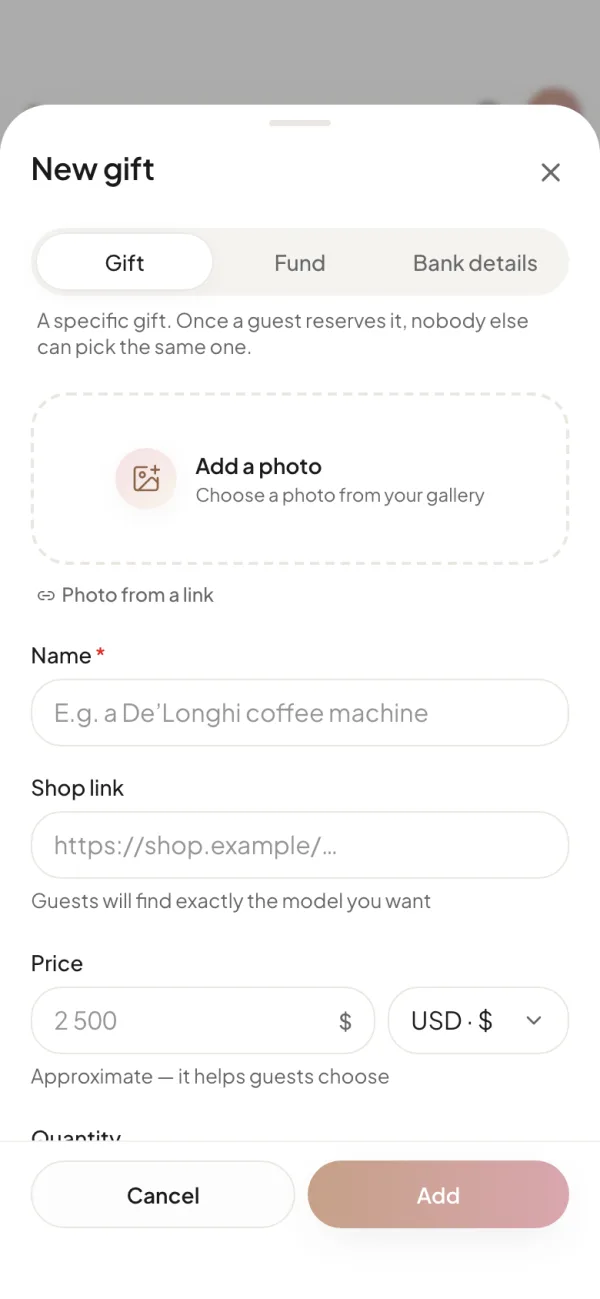
A new gift: type, photo, name, shop link and price.
A gift from a link: name, photo, price
No need to retype the model name or hunt for a photo. Once you paste a link, the Fill in from the link button appears. And if the name is still empty, the app fills in the card by itself as soon as you leave the field.
Good to know:
- Only empty fields are filled: a name or price you have typed stays yours.
- The photo is copied into INVITO, so the card doesn’t depend on the shop keeping its image.
- The price fills in only when the shop publishes it. Some shops block outside servers; then you get the name and photo and type the price yourself.
- If the page won’t open, the app says so: “Couldn’t open the page. Fill it in yourself.”
You can hide a gift with the Show to guests switch: only you see it until you decide to show it.
What guests see
The invitation site gets a block: a heading, a short text, a few gift cards and a button that opens the whole list. If there are no visible gifts, the block simply doesn’t appear.
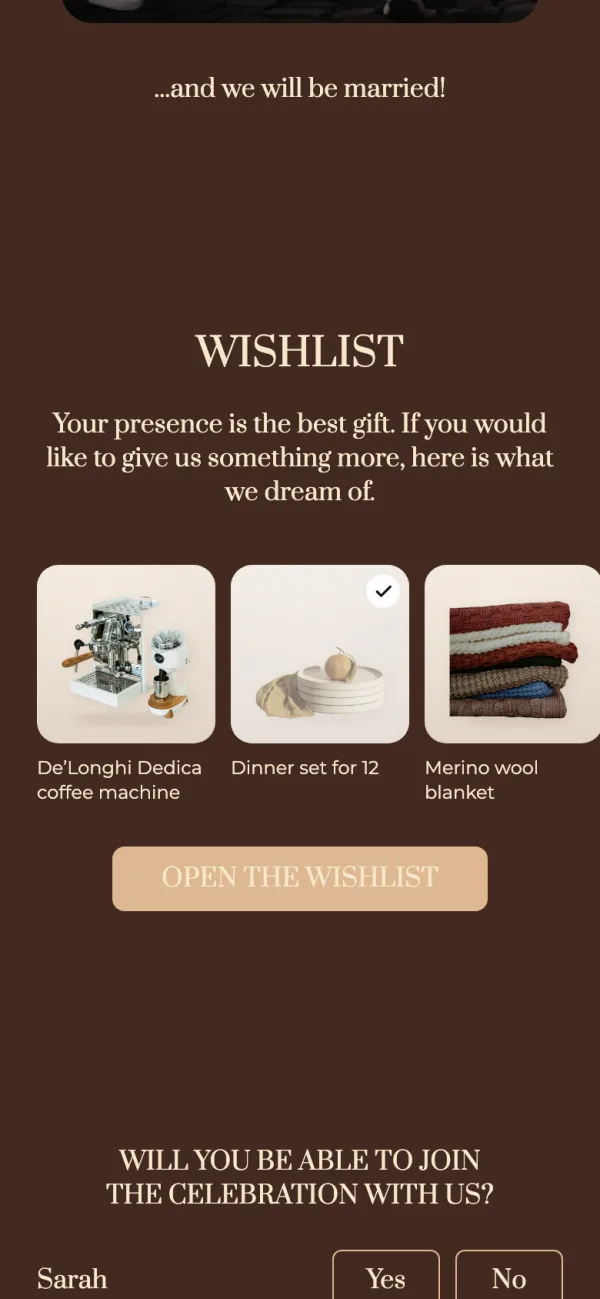
The block on the invitation: a few gifts and a button that opens the full list.
In the list, funds come first, then gifts and bank details, in the order you set. A card shows the photo, name, price, a Most wanted badge, and for several identical items something like “4 left”. Buy takes the guest to the shop’s page, where they buy it themselves.
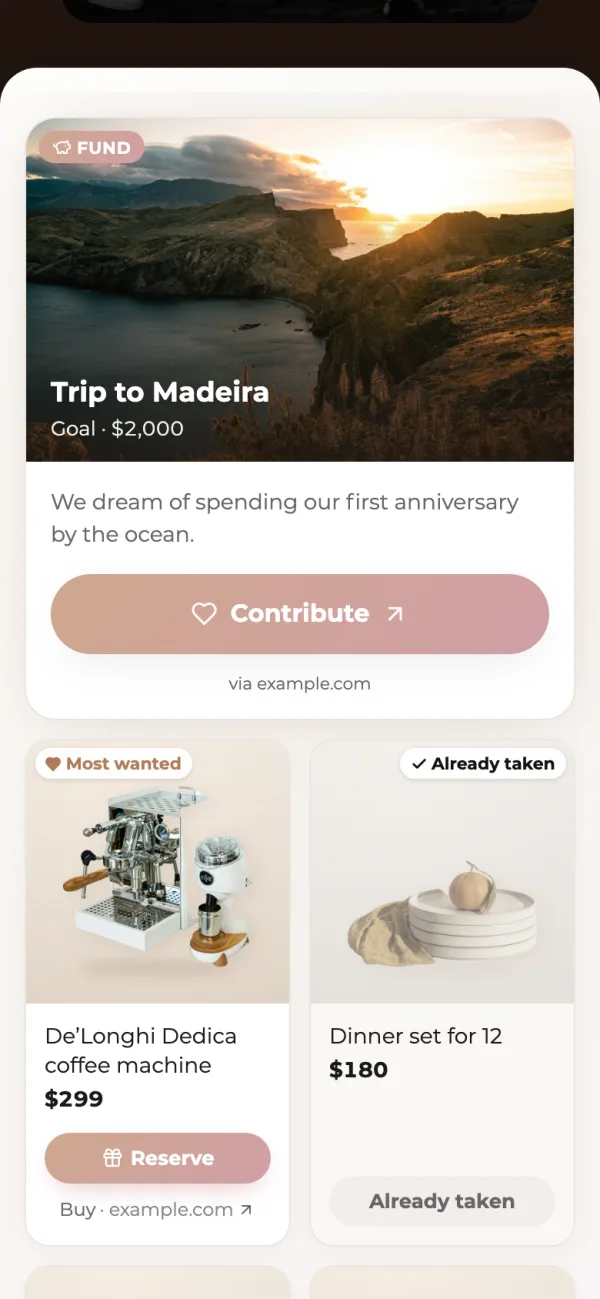
The fund first, then the gifts. The dinner set has been picked, so other guests see it as Already taken.
Reserving: two taps, no duplicates
The guest taps Reserve and a Reserve this gift? sheet opens. On a personal invitation link the field “Your name — only the couple will see it” is already filled in with the names from the invitation. They can switch on Reserve anonymously: the name is kept, but you see it only after the wedding; until then it shows as “Anonymous reservation”.
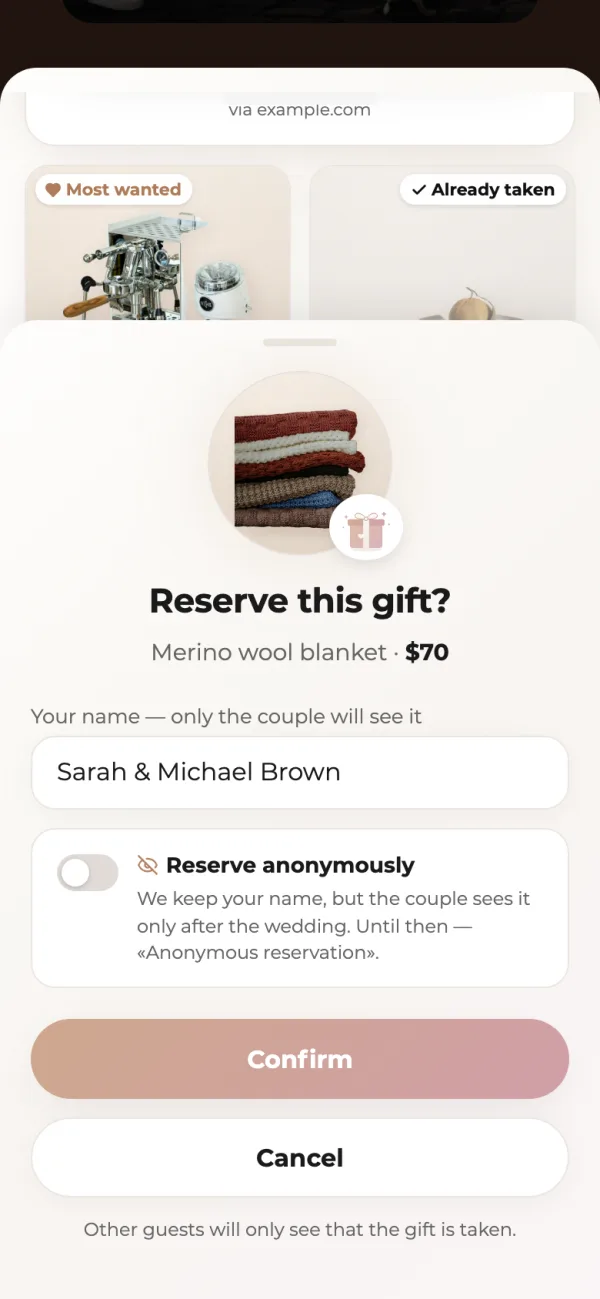
Confirming: only the couple sees the name, and anonymous reservation is one switch away.
After Confirm, the card shows “Reserved by you” and a Cancel reservation button. Guests can cancel from the same device; if they reserved on another phone, you cancel it in the couple’s app.
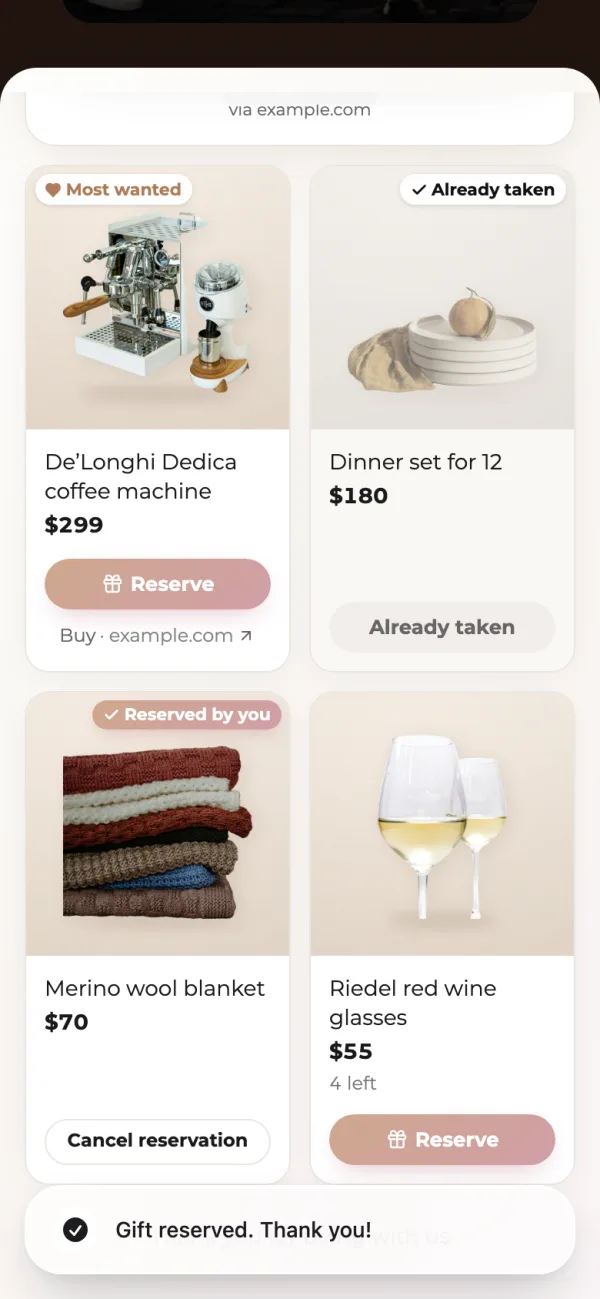
After reserving: the guest sees “Reserved by you” and can cancel from the same phone.
Two guests can’t reserve the last unit: the database lets only one through, and the other sees “Someone has just picked this gift. Have a look at the others!”. Each reservation is one unit.
Money for a dream: Fund and Bank details
For a honeymoon or a home, add a Fund with a link to your jar or fundraiser and a goal. A guest taps Contribute and goes to your fund; INVITO never touches the money and does not count the contributions. Bank details are a card number or IBAN that guests see as text in the list; they can’t be reserved.
What you see in the couple’s app
The cards show who is giving and how many units are already reserved. A gift someone promised you in person can be marked with Add manually, and guests will see it as taken. You can cancel any reservation.
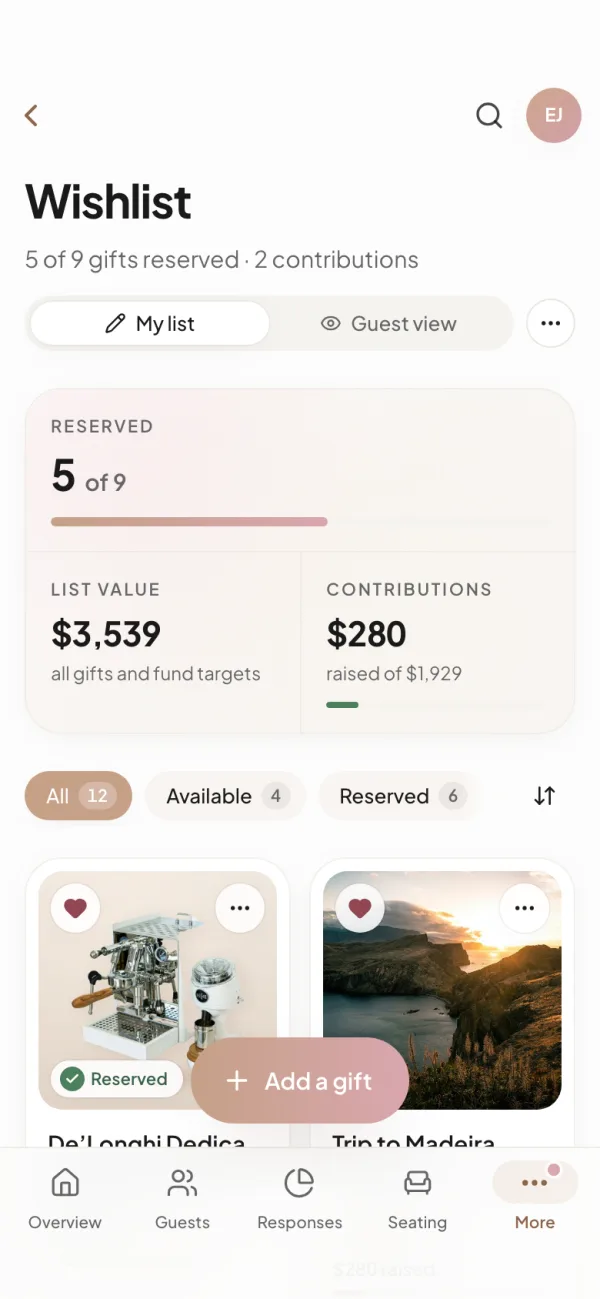
On a phone: the same list and the same actions as on a computer.
While the page is open, the app rereads reservations about every 30 seconds and shows “A guest has just reserved a gift”. INVITO does not send e-mails or messenger messages. For relatives who won’t open the site there is Copy the list as text, without the names of who reserved what.
What you get
- Fewer duplicate gifts: every guest sees what is already reserved.
- Guests don’t have to ask you directly: the list, the shop links and prices are right on the invitation.
- You know who is giving what, and a guest who wants a surprise can reserve anonymously.
- Money goes straight to your own fund or card, with no middleman.
The wishlist is included in the MAX and SIGNATURE packages and is a paid add-on for MINI; our team adds the block to your invitation. See the pricing for details. More about the app itself is in the article about the couple’s app, and why the name is already filled in when a guest reserves is explained in the article about personal and general links.
Frequently asked questions
- Will other guests see who is giving what?
- No. Other guests only see that a gift has been picked: the card shows Already taken. The name of the person who reserved it is visible only to you in the couple’s app.
- How does an anonymous reservation work?
- The guest switches on Reserve anonymously but still enters a name. Until the wedding you see ‘Anonymous reservation’ in the app, and the guest’s name appears there after the wedding date. Other guests never see names either way.
- What if two guests reserve the same gift at the same time?
- Only one of them gets it. The check happens in the database: once no units are left, the second guest sees ‘Someone has just picked this gift. Have a look at the others!’ and the list reloads.
- Can a guest cancel a reservation?
- Yes, with Cancel reservation, but only on the same device and browser they reserved from. If they reserved on another phone or cleared their browser, you cancel the reservation in the couple’s app and the gift becomes available again.
- Does guests’ money go through INVITO?
- No. Buy opens the shop’s page and Contribute opens your own jar or fundraiser. INVITO takes no payments and does not count how much is contributed to your fund.
- Is the wishlist in every package?
- It is included in the MAX and SIGNATURE packages and is available for MINI as a paid add-on. Our team adds the gift block to your invitation; after that the Wishlist section opens in your couple’s app. Details are on the pricing page.
Want an invitation like this?
Pick a design — we do the rest. Send us your photos and wishes, and we prepare the site, the monogram and the language versions.